
For system, network and cloud administrators
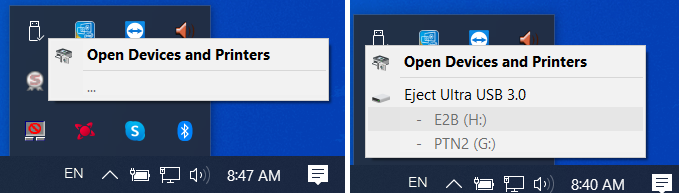
If you’re seeing three dots instead of the name of your USB drive on your Windows, then you need to know how to properly format it with CMD or PowerShell.
- Run CMD (command prompt) or PowerShell. But you need to run one of those, as an Administrator.
- Inside CMD, type:
diskpart list diskselect disk Xwhere X is the number of the disk you want to format.cleancreate partition primaryformat fs=ntfs
Depending on the size of your USB, the process of formatting your USB drive might take a while. So, don’t worry if it’s a slow formatting process.assign
Follow BusyNetwork


