
For system, network and cloud administrators

At some point in life, I needed to delete a folder and all of its files. But I wasn’t able to. The ordinary Delete key or Shift + Delete wouldn’t delete them. Not even when entering in “Command Prompt” – the error I was receiving was “The process cannot access the file because it is being used by another process.”
So, I decided to actually force deletion by entering “safe mode”.
1. Enter “safe mode”
In Windows 10, you can enter “safe mode” by:
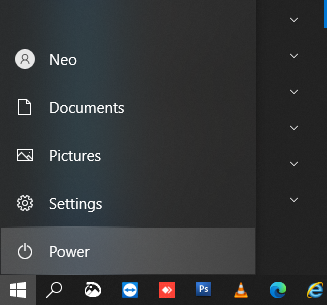
- Pressing the Windows key (or just by clicking the Start button).
- Click the Power button.
- Press and hold the Shift key.
- Click Restart.
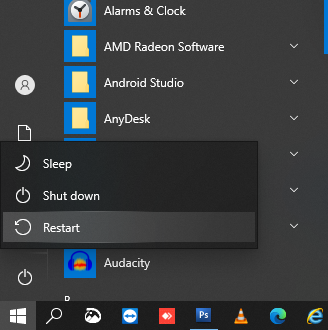
Now, your PC will restart/reboot and it will load in “safe mode”.
2. Enter “Command Prompt” in “safe mode”
- Move with arrow keys to “Troubleshoot”.
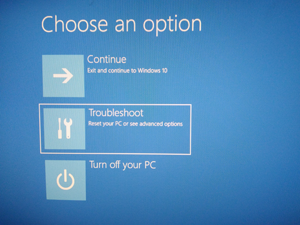
- Then to “Advanced options”.
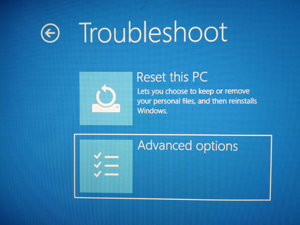
- Choose “Command Prompt”.
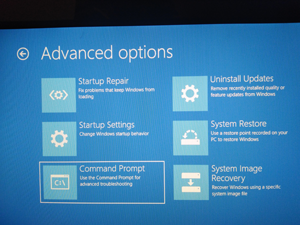
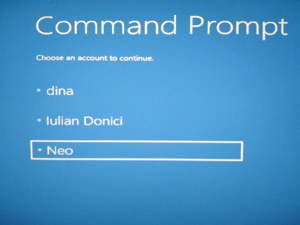
- Choose your Windows user (in my case it’s “Neo”).
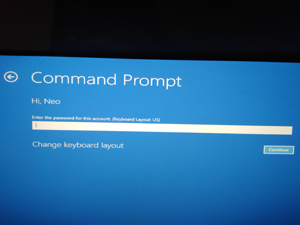
- Fill your user’s password.
- “Command Prompt” will show up.
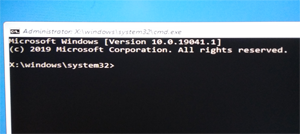
Inside “Command Prompt”, enter your desired partition/drive just by typing the letter of the drive. For example, in order to switch and enter the “E” partition/drive, you can just type E:. Once you’ve entered your partition/drive where you’ll want to delete the file/folder, you can:- use this command to force delete a file:
del /f the_name_of_your_file - use this command to force delete a folder:
rmdir /s the_name_of_your_folder
- use this command to force delete a file:
- Close “Command Prompt”.
- Choose “Exit and continue to Windows 10”.
Follow BusyNetwork


