
For system, network and cloud administrators
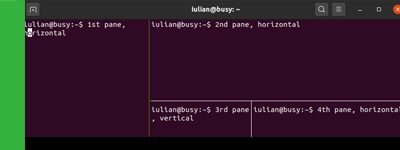
tmux is a very useful tool when working with the terminal. It basically allows you to start multiple sessions and each one of these sessions can have multiple panes inside it. tmux is a terminal tool focused on window and session management. tmux is available for: Debian/Ubuntu, Fedora, RHEL/CentOS, Arch Linux, OpenSUSE, macOS.
On: Ubuntu 20.04 LTS
Since Canonical uses dpkg as their package manager, their software often ends with the .deb extension.
- Go to the official Ubuntu packages.
- Find your desired Ubuntu .deb package by browsing the appropiate Ubuntu version that fits your need or by searching the name of the package.
- Once you found the Ubuntu package, choose the nearest mirror to your location in order to download the package (North America, Europe, Asia, etc.).
- Install your .deb package using:
sudo dpkg -i the-name-of-your-deb-package.deb| Action | Keyboard keys |
|---|---|
| Copy | Command + C |
| Paste | Command + V |
| Undo | Command + Z |
| Open new browser tab | Command + T |
| Reload/refresh browser tab | Command + R |
| Close browser tab | Command + W |
Inside a macOS terminal, apart from the general keyboard shortcuts (like closing or opening a new tab), I sometimes find myself in need to do things differently.
Follow BusyNetwork


